1
One platform eliminates chaos
Consolidating core ops cuts tool chaos.
B2B · Operations · Automation
When small businesses are drowning in tools, sometimes you need to throw them a lifeline

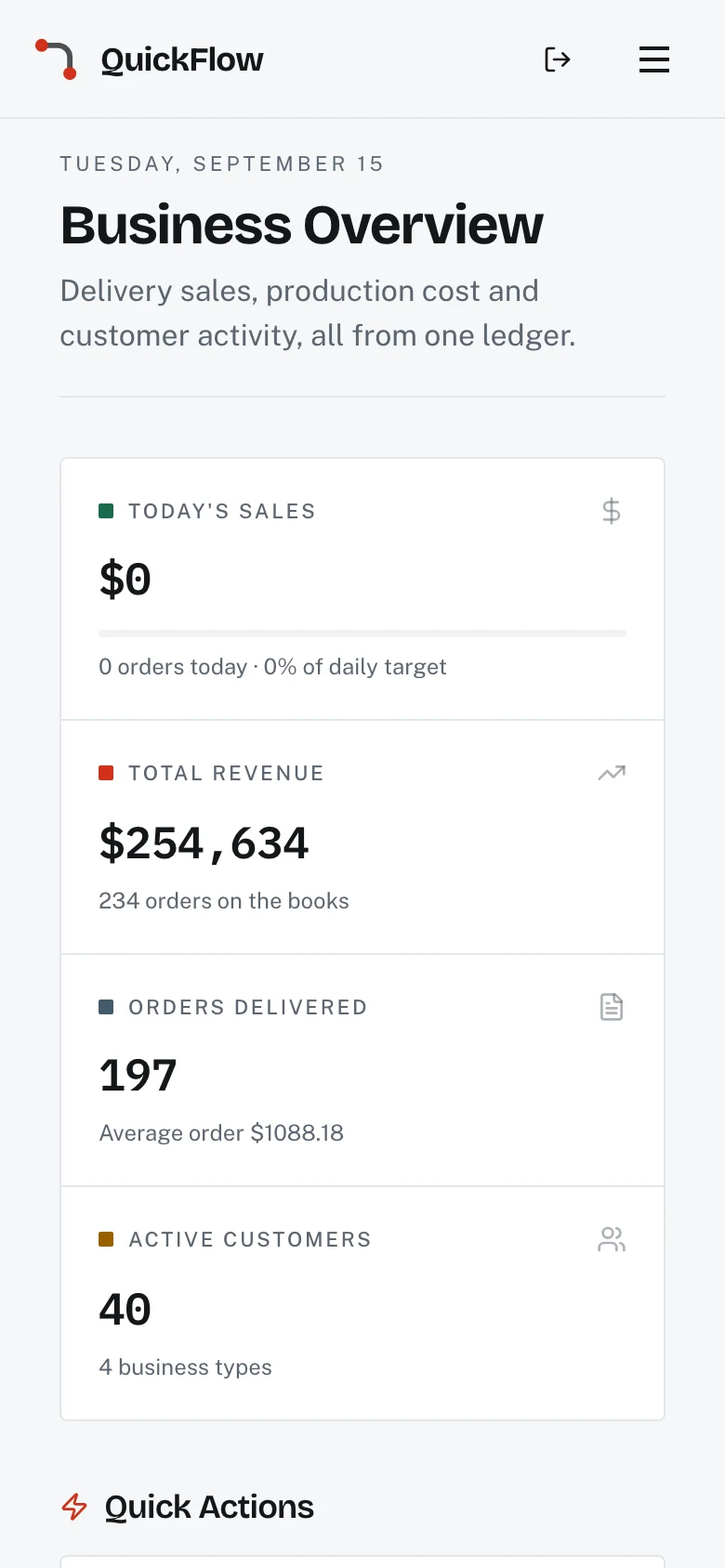
Small businesses struggled with scattered tools for scheduling, invoicing, and tasks. I designed a unified platform to consolidate operations into one app. The vision: reduce admin overload and free up time. The result: 35% less time spent on manual tasks.
"I spend more time entering the same client info into different systems than actually serving clients." – Mike, freelance photographer Solved with smart templates + automation.
Scheduling, invoicing, and tasks lived in separate systems.
Drove: Unified dashboard with linked records.
Recurring work (invoices, reminders) was manual.
Drove: Recurrence, templates, and smart reminders.
Hard to see what needs attention now.
Drove: 'Today' view with aging statuses and alerts.
This image is currently unavailable
This image is currently unavailable
I explored blue-sky concepts ranging from AI-powered workflow automation to intelligent business insights. Early sketches included predictive cash flow modeling, automated client follow-ups, and integrated marketing campaigns. I tested divergent ideas like voice-controlled task management and smart scheduling optimization to understand what would genuinely improve daily business operations.
I decided to build a unified operations platform after seeing that most problems came from switching between tools and re-entering data. I focused on bringing core functions together, automating repetitive work, and making daily priorities clear. This approach created efficiency by integrating features, not by adding more complexity.
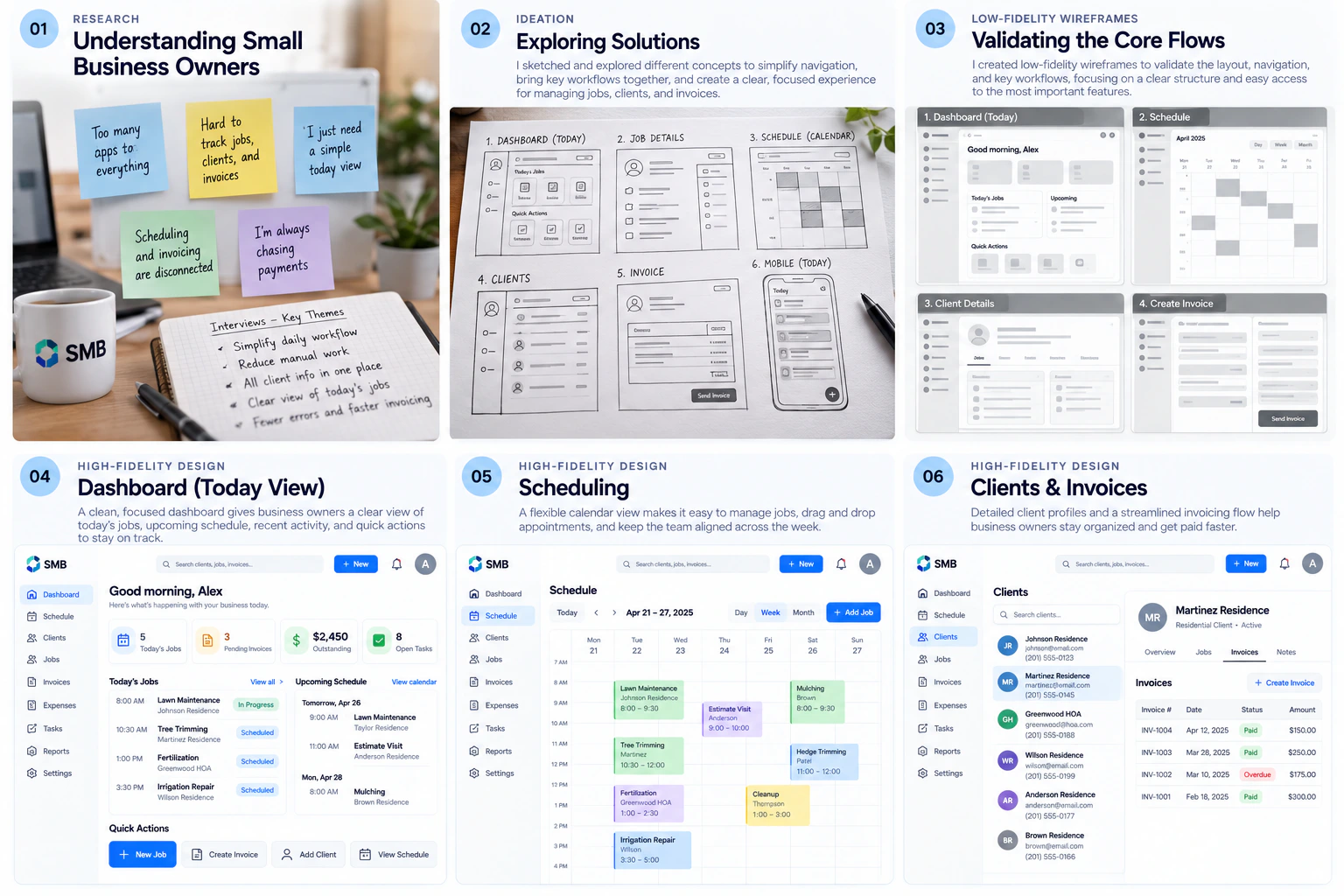
Consolidating core ops cuts tool chaos.
Recurring invoices and reminders save hours weekly.
A single dashboard surfaces what needs attention now.
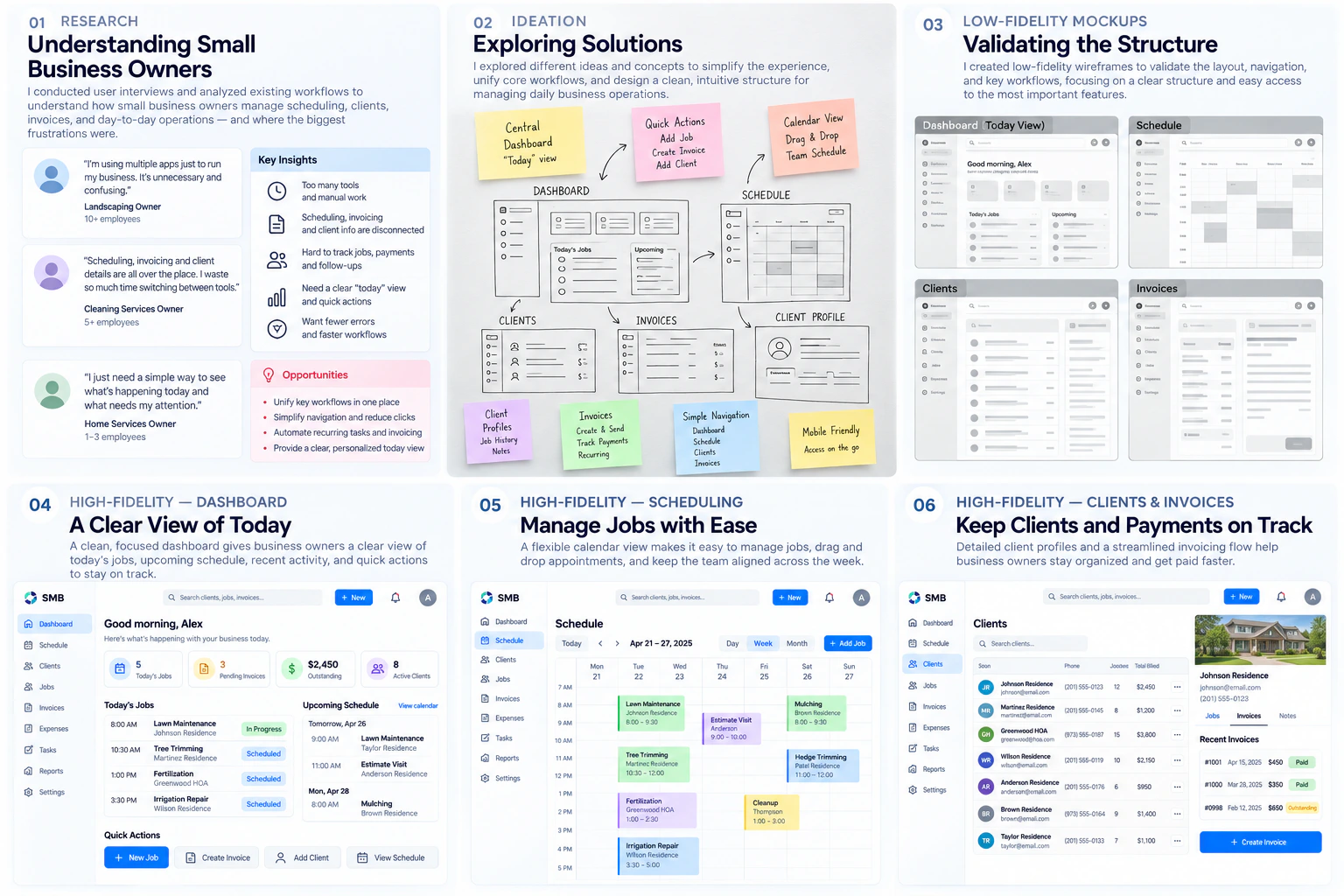
I designed around how small businesses actually operate—not how we think they should. Watching Sarah's workflow made it clear: reduce cognitive load, not add features. Result: unified platform with smart defaults and connected workflows.
Multiple iterations on the "run your day" loop
only critical alerts
Today view + smart priority
template-driven workflow
auto-generates tasks + invoices
Too many customization options = decision paralysis. Smart defaults + minimal customization = win.
Testing with enterprise teams revealed that consolidating multiple tools into one unified platform dramatically reduced training time and operational errors.
Unified platform with: Smart priority dashboard, Automated invoicing, Connected scheduling, Error reduction by 68%
Sarah's email: "I just realized I haven't thought about my 'admin day' in weeks. Everything just happens automatically now."
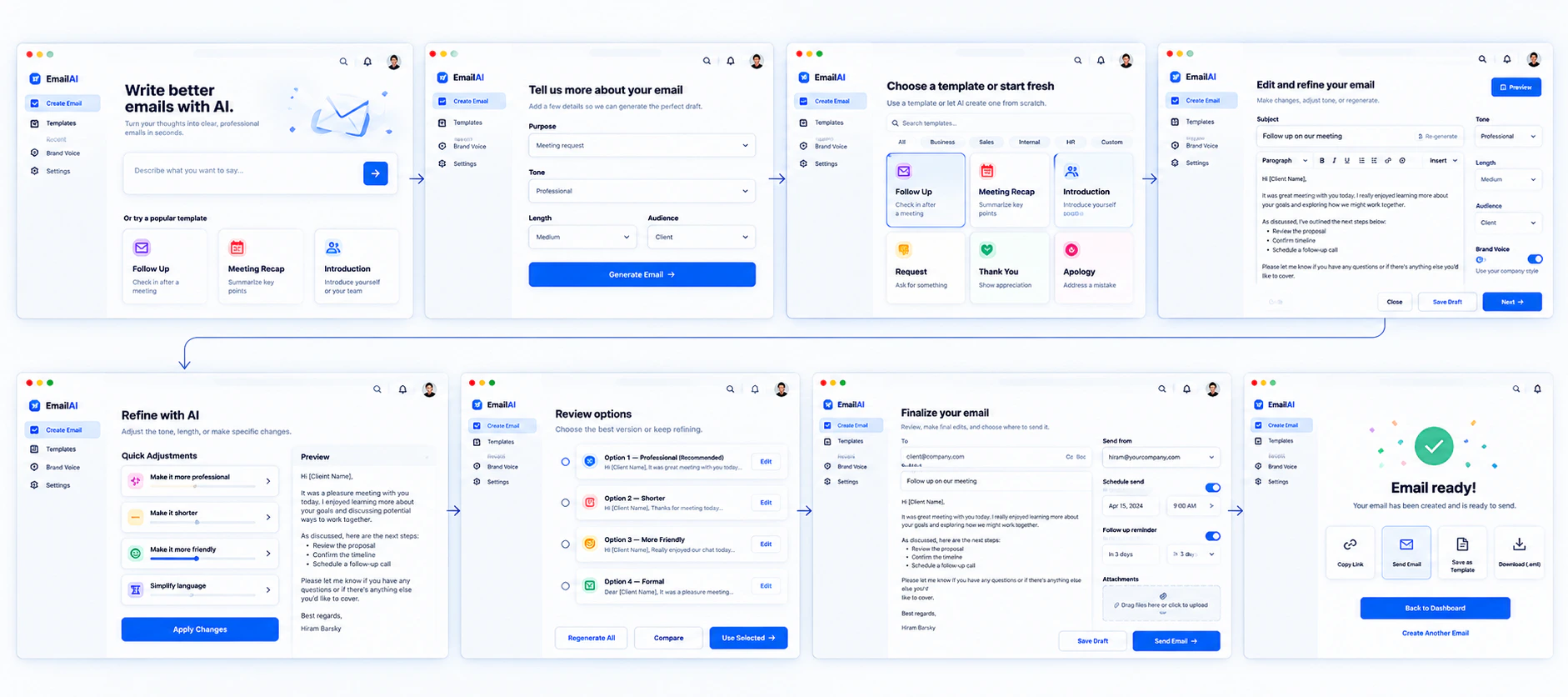
Designed a 6-step AI-assisted workflow for a global pharma team that reduced campaign production time by 40% while maintaining full MLR compliance and removing multiple manual handoffs.
Tell me what you're working on and where it's stuck. Short messages are fine.